![toolbelt_footer_logo.png]](https://knowledge.toolbelt.work/hs-fs/hubfs/ToolBelt%20Images/Email%20Images/toolbelt_footer_logo.png?height=40&name=toolbelt_footer_logo.png)
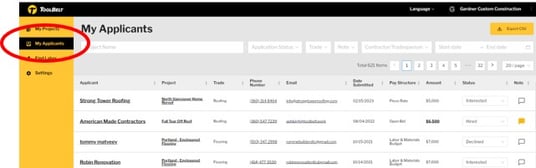
From the web dashboard:
- Go to app.toolbelt.work
- Log in using your Toolbelt email and password
- Click Applicant recap on the right-hand side
On the ToolBelt phone app:
- Click My Projects on the home screen,
- Select the your Project
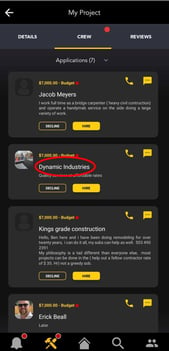
- Click CREW to view applications
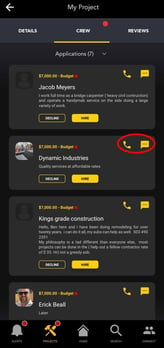
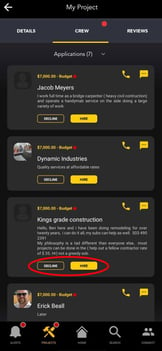
- From Applications you can:
View Applicant Profile
One-click Call or Text
One-click Hire or Decline
Now that you have successfully received applicants change the status of your project on the mobile app